
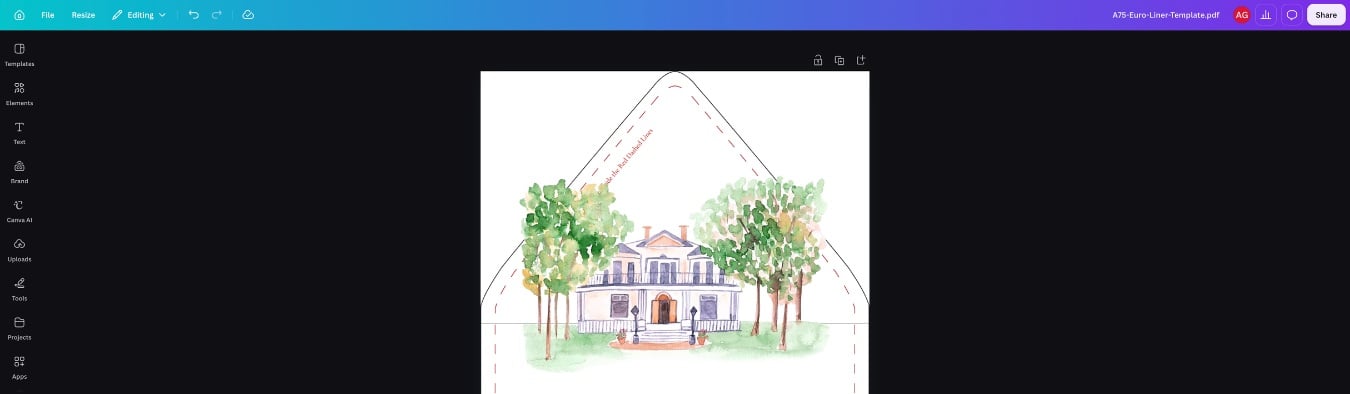
Creating your liner design file in Canva? Look no further, we got your covered!
We’ve designed these free, easy-to-upload print templates for you to add right into your Canva document.
Simply start by opening a new Canva document in your desired liner size (use the chart below to find yours) and download the matching free PDF envelope liner template. Then upload the PDF into Canva and place it in your document. Now your ready to design your envelope liners!
Pro Tip: If you are having difficulties placing your design items (ie; your graphic keeps getting put into a frame), hold down the “Control” key while you move your element. To remove this frame completely, right click the uploaded PDF template to open the menu options and then select detach image. The PDF will detach so you are able to delete the frame and resize just the template to fit your document page.
Envelope Liners: Print Dimensions
After you’ve finalized your design, be sure to remove all the guidelines from the template before downloading it as a flattened, print ready PDF with a CMYK color profile.
Printing on LCI liners at home? Check out our step-by-step tutorial on how to print on envelope liners with your home printer.
Or let us take care of the printing for you with our professional printing service!
You May Also Like:
Tips for Lining Envelopes | Tips for Sealing Envelopes | Explore Free Print Templates at LCI | DIY Euro Flap Liners